
How to keep the same character in every AI video shot
Most people who search for an AI video generator with consistent characters have already tried a clip tool and watched the lead change faces between cuts. That break is what kills a story.
AlphaDrama treats casting as a step before rendering. Each person gets a portrait and a full-body look; every later shot is generated from those references, including the next episode.
Example: Keep Emma, 25, freckles, long brown hair, and Ethan, 32, black hair, navy suit, identical from a gala argument to a rooftop scene the next morning.
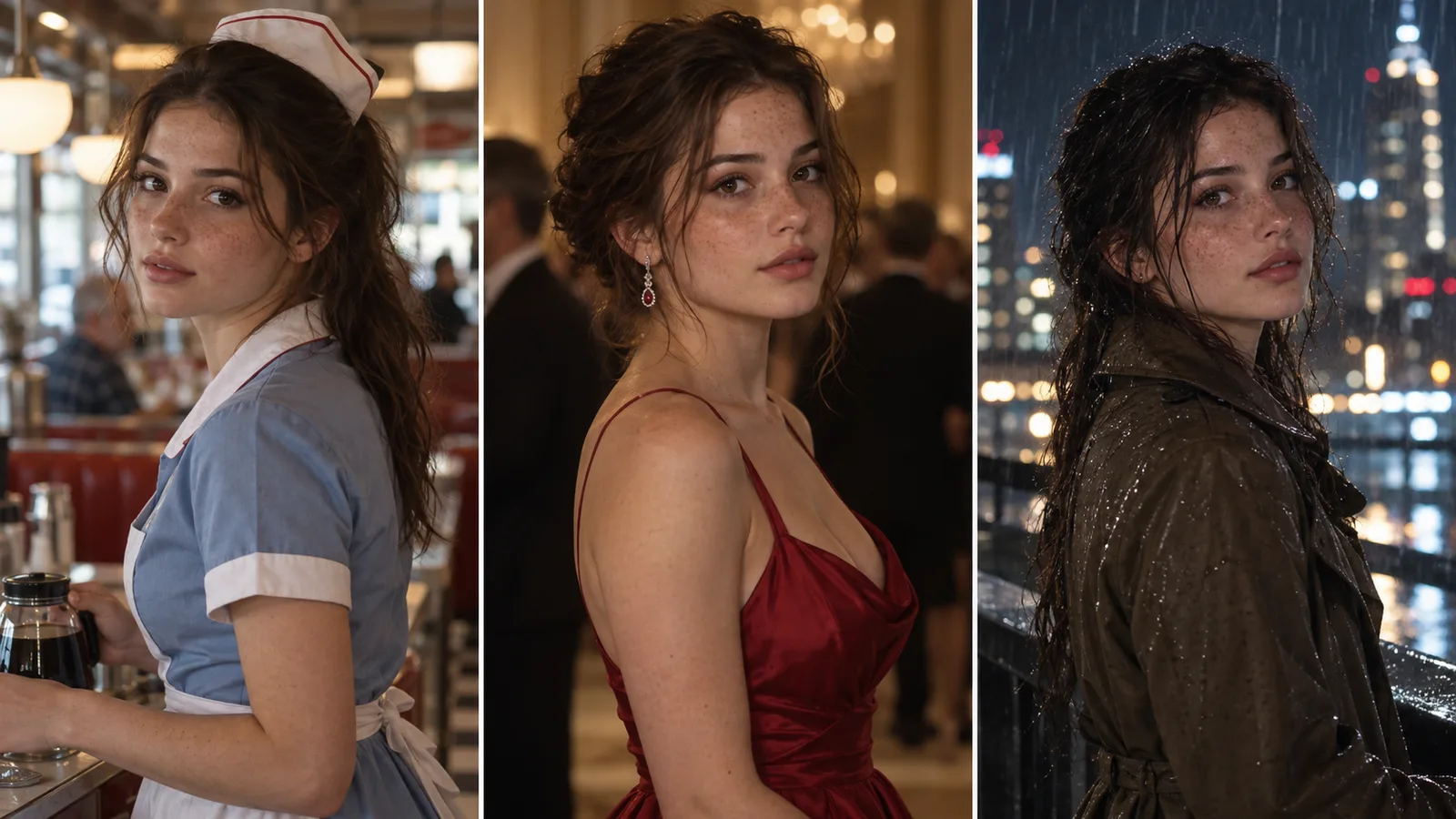
Why faces drift in single-clip generators
A one-prompt clip has no memory of the last clip. The model invents a new person from the words you typed, so hair, age and bone structure wander. Viewers notice this in the first cut.
A series needs the opposite: one lead, one wardrobe unless the script changes it, and a face the audience can recognize on a phone screen.
Lock the cast before any video renders
When the script is broken into shots, AlphaDrama pulls each named character and renders a close-up plus a full-body reference. Shots that include that person use those images, not a fresh guess.
- Portrait and full-body look per character
- Outfit changes only when the script calls for them
- The same references carry into the next episode
What to write so the lock holds
Vague descriptions leave the model room to wander. One distinctive feature and one signature outfit do more than a long adjective list.
- Give age, hair, one mark (freckles, a scar, glasses) and a default outfit
- Do not cast two leads with nearly the same look in one scene
- If a shot drifts, regenerate that shot only, from the same references
Across scenes, locations and episodes
Locations get the same treatment as people: a fixed set reference so a penthouse or a diner does not reinvent itself. That is what makes episode five feel like the same show as episode one.
When this workflow is the right tool
Use it when you need a lead who returns: short dramas, novel adaptations, faceless story channels, and any vertical series you plan to publish more than once. For a single decorative clip with no recurring person, a general text-to-video model is enough.
How it works
Start with a story or a product
Paste a chapter, an outline or a one-line idea. For an ad, add product photos or a product link.
We cast, storyboard and voice it
Characters get fixed looks, scenes get sets, and the script is split into shots with voices and captions.
Review the price, then export
You see the cost before any video renders. Export a 9:16 file for TikTok, Reels and Shorts.
Frequently asked questions
How do I keep the same character in AI video?
Generate a reference portrait and full-body look first, then render every shot from those images. AlphaDrama does that lock before any clip is generated.
Can I upload my own face or design?
Yes. Upload a reference image for a character instead of generating one. Only use a real person's likeness with their permission.
Does the lock work across a whole series?
Yes. References stay with the project, so later episodes reuse the same cast and sets.
What if one shot still looks off?
Regenerate that shot from the same references. You see the price before it runs.
Related
Make your first video today
Sign up free and get starter credits. You see the price before anything renders.
Try this example